
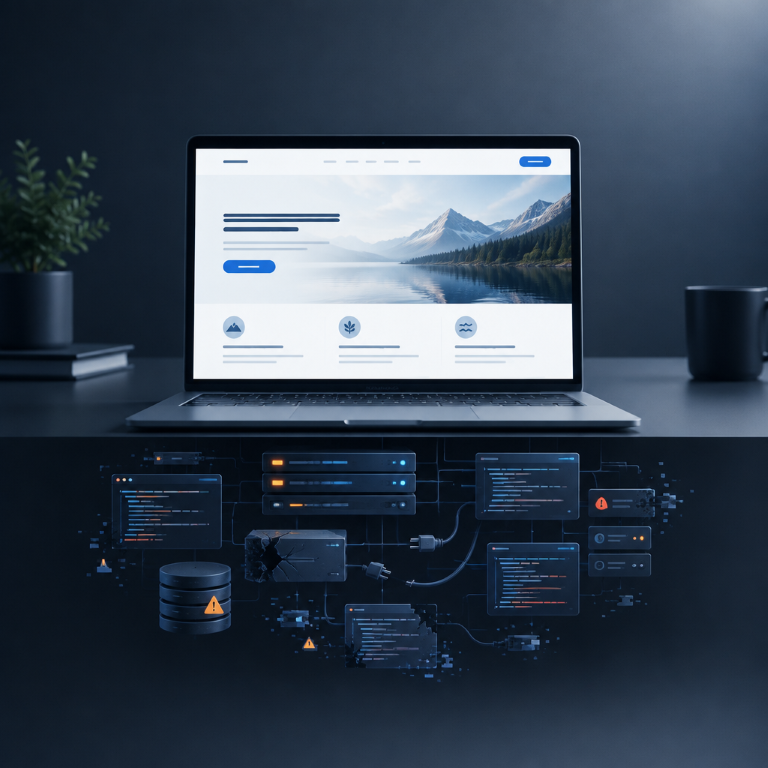
A realistic look at what website maintenance actually covers - and what can happen when updates, backups and checks are ignored.
WordPress makes it possible to build a website that can run for years. That sometimes creates the impression that once the site is launched, it can simply be left alone.
And, to be fair, an unmaintained website can appear perfectly fine for a long time. The homepage still loads. The contact form looks normal. Nobody has complained. Then one update fails, a plugin becomes incompatible, a form quietly stops sending or the site is compromised – and maintenance suddenly feels much less optional.
Website maintenance is not about logging in once a month to click every available update button. Done properly, it is the ongoing work that keeps the software current, protects recoverability, checks the parts customers rely on and catches problems before they become expensive.
What does WordPress maintenance actually mean?
A typical WordPress site is not one piece of software. It is a stack: WordPress core, a theme, plugins, PHP, a database, server software, DNS, SSL certificates, caching and often several third-party services such as forms, analytics, booking systems, email platforms or payment providers.
Those components change independently. A plugin may release a security fix. WordPress may introduce a compatibility change. A hosting platform may update PHP. An API used by a booking tool may change. Maintenance is the process of keeping that moving set of components working together.
For most business websites, that usually includes:
- WordPress core, theme and plugin updates
- Reliable backups and the ability to restore them
- Security monitoring and sensible hardening
- Uptime checks
- Performance checks and optimisation
- Testing forms and other important website functions
- Reviewing PHP and server compatibility
- Checking SSL certificates and domain-related issues
- Removing unused plugins, themes and accounts
- Occasional content, link and technical housekeeping
The exact list depends on the website. A five-page brochure site does not need the same maintenance regime as a WooCommerce shop or a booking website processing appointments every day.
1. Outdated software becomes a security risk
The most obvious reason to maintain WordPress is security. WordPress itself is actively maintained, and so are reputable themes and plugins. Updates frequently contain bug fixes and security improvements.
When a vulnerability becomes public, an outdated site does not become safer because it is small or because ‘nobody knows about it’. Automated scanning makes it possible to find vulnerable websites at scale. Attackers do not need to have a personal interest in your business.
That is also why the number of plugins matters less than their quality and maintenance status. Ten reputable, necessary plugins that are kept current can be a better setup than three abandoned plugins that have not been updated for years.
Maintenance therefore includes deciding what should be updated, what should be replaced and what should simply be removed.
2. Updates can break things - which is exactly why they need managing
A common argument against updating is: ‘I updated a plugin once and the website broke.’ That can absolutely happen. But the conclusion should not be to stop updating forever.
Updates can expose conflicts between plugins, themes, custom code or server versions. The safer approach is to make sure there is a current backup, apply updates in a controlled way and check the important parts of the site afterwards.
For higher-risk websites, it can also make sense to test major changes on a staging copy first. For simpler sites, a reliable backup plus post-update checks may be proportionate.
Maintenance is not the absence of change. It is controlled change with a recovery path if something goes wrong.
3. Backups are only useful if you can actually restore them
Most website owners understand that backups are important. The overlooked question is whether the backups are complete, recent, stored somewhere appropriate and restorable.
A backup sitting on the same server as the live site can be useful, but it should not be your only recovery option. If the server itself fails or an account is compromised, you may need a copy stored separately.
Frequency matters too. A brochure site that changes twice a year has different needs from an online shop receiving orders every hour. There is no universally correct schedule – the right question is how much data you could realistically afford to lose.
A maintenance plan should therefore cover recovery, not just backup creation. In an emergency, knowing that a backup exists is not enough if nobody knows how to restore it.
4. Forms and integrations can fail quietly
One of the most damaging website problems is also one of the least dramatic: nothing visibly breaks.
A contact form submits successfully on screen, but the email never arrives. A booking integration stops syncing. An analytics tag disappears. A payment method fails only on mobile. Customers encounter the problem before the business knows it exists.
This is why maintenance should include checks of the functions that matter commercially. For a lead-generation site, that may mean sending a test enquiry periodically. For a booking website, it may mean checking the customer journey from service selection through confirmation. For an e-commerce site, the checkout deserves even closer attention.
You do not need to manually test every feature every day. You do need a clear idea of which failures would cost the business money or enquiries.
5. Performance can gradually deteriorate
Websites often become slower over time rather than overnight. New plugins are added. Large images accumulate. Tracking scripts multiply. Database tables grow. Old revisions, transients or logs build up. Hosting resources that were adequate at launch may no longer match the site.
The result is the familiar situation where nobody can point to the exact day the website became slow – it just feels heavier than it used to.
Regular maintenance creates opportunities to spot that drift. It may involve cleaning unnecessary components, optimising images, reviewing caching, checking database behaviour or questioning whether a plugin is still worth the performance cost it introduces.
The best optimisation is sometimes deletion.
6. Server and PHP compatibility do not stand still
WordPress runs on PHP, and hosting environments evolve too. Keeping WordPress updated while leaving the underlying server environment untouched indefinitely can eventually create compatibility or security problems.
Moving to a newer PHP version can improve security and performance, but it should be approached carefully because old plugins or custom code may not be compatible. Again, this is maintenance in practice: check, prepare, update and test rather than ignoring the issue until the host forces a change.
A website owner should not need to become a server administrator to keep a basic business site online. But somebody needs to own that responsibility.
7. Small problems become bigger when nobody is watching
An expired SSL certificate, full disk, failed scheduled task, broken DNS record or repeated PHP error can often be relatively straightforward to fix when caught early.
Left unnoticed, the same problem can become downtime, lost enquiries, corrupted data or an emergency rebuild.
Monitoring is therefore one of the least glamorous but most useful parts of website care. It is not valuable because a dashboard looks impressive. It is valuable because it shortens the time between a problem appearing and somebody noticing.
'My website has worked fine for three years without maintenance'
It might have. That does not mean nothing changed underneath it.
Software can continue working while becoming increasingly outdated. A plugin can remain functional after its developer has abandoned it. A backup can run successfully for months without anyone testing whether the archive is usable. A form can work for most visitors while failing under one specific condition.
This is similar to saying a car does not need servicing because it started this morning. The argument is not that failure is guaranteed tomorrow. It is that preventative work reduces avoidable risk and gives you more control over what happens when something eventually needs attention.
Can you maintain a WordPress website yourself?
Absolutely – many small websites can be maintained by an owner who is comfortable with WordPress and willing to follow a consistent process.
At minimum, we would want that process to include:
- Make sure automated backups are running and stored appropriately.
- Know how you would restore the site if an update failed.
- Keep WordPress, plugins and themes current.
- Remove software and user accounts you no longer need.
- Review WordPress Site Health and investigate meaningful warnings.
- Test important forms and customer journeys periodically.
- Check that HTTPS, domain renewal and email-dependent functions are healthy.
- Keep an eye on uptime, errors and performance rather than waiting for a customer to report them.
The trade-off is time and responsibility. If you maintain it yourself, you are also the person who needs to react when an update causes an issue at 8:30 on Monday morning.
When does managed website maintenance make sense?
Managed maintenance becomes more useful as the cost of failure increases or the website becomes more complex.
It is particularly sensible when the site generates a meaningful share of enquiries, processes bookings or payments, uses several integrations, contains custom functionality, or simply belongs to a business whose team would rather spend its time elsewhere.
A good provider should be able to explain what is actually being maintained. ‘We keep an eye on it’ is not a maintenance specification. You should know how backups work, what monitoring is in place, what happens after updates and what support is included when something breaks.
Maintenance should be proportionate to the website
Not every business needs a large monthly care package, and not every update deserves a lengthy staging process. The maintenance approach should match the value, complexity and risk profile of the website.
What every business website does need is ownership. Somebody should know whether it is backed up, updated, secure and working. If the answer to all four is ‘probably’, the website is being left to chance.
If you are unsure what condition your current WordPress site is in, start with an audit rather than automatically buying a maintenance plan. Check the software versions, backups, security, hosting, performance and critical functions. Once you know the actual condition of the site, you can decide whether occasional checks are enough or whether ongoing management is justified.
Let's build something meaningful.
Have a project in mind, need ongoing support, or simply want to see if we’re a good fit? Tell us what you’re working on and we’ll take it from there.